 SpockOps
The GitHub policy engine: how SpockOps decides what may run, act and deploy
A policy engine for GitHub Actions: one set of rules for workflow runs, agentic workflows and deployments, tried in Evaluate, enforced in Block and recorded.
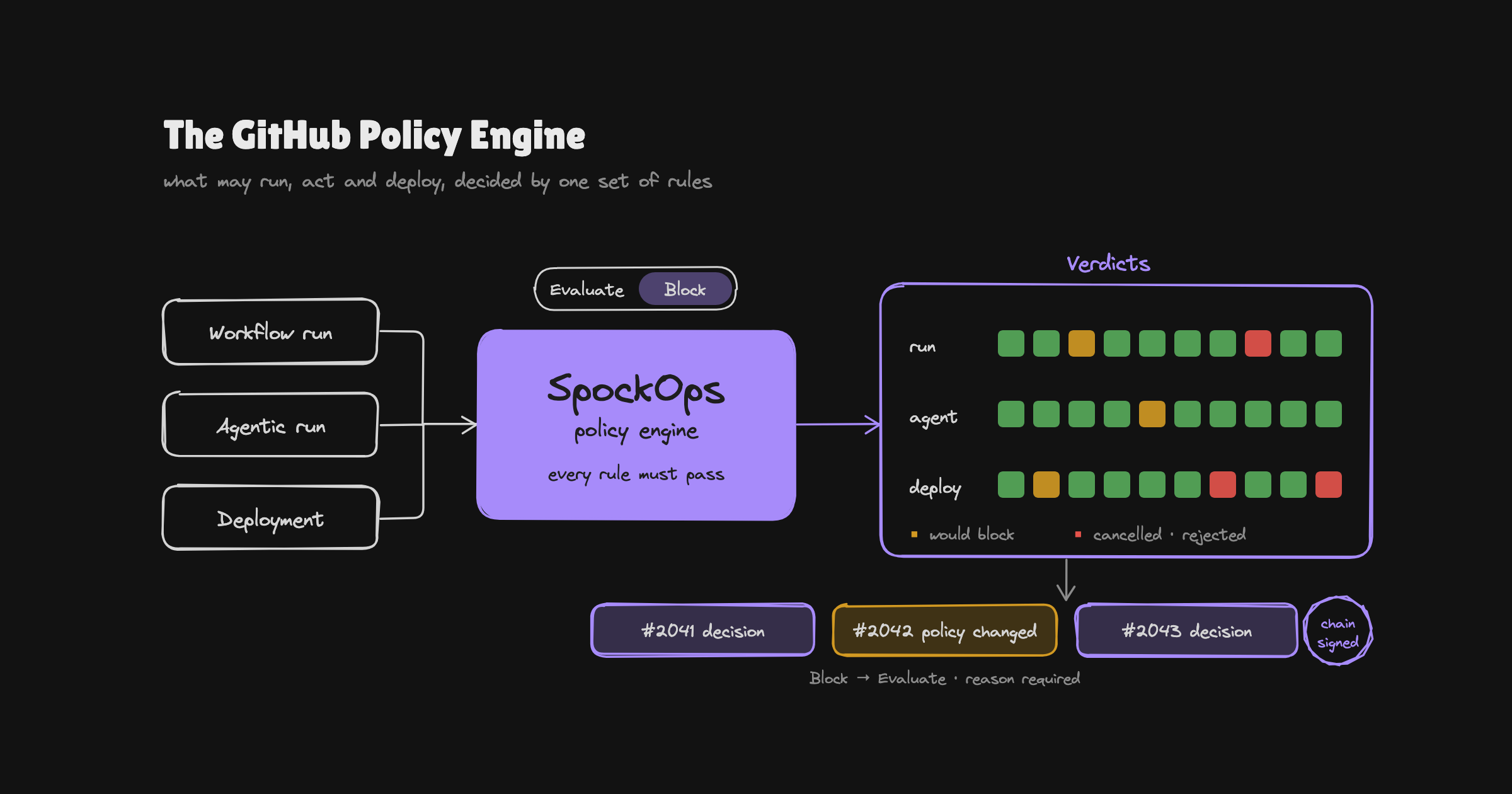

Most teams already have policy in GitHub Actions. It lives in many places: an allowlist on one organization, required reviewers on one environment, a pinning setting on another. Each is sound. Together they are hard to see, hard to test and hard to explain to anyone who asks why a run was allowed. A policy engine puts the rules in one place and applies them to every run, agent and deployment.
What is a policy engine for GitHub Actions? #
A policy engine is a service that checks each piece of work against rules written once, outside the workflow it governs. For GitHub Actions that means three moments: when a workflow runs, when an AI agent runs and when a job deploys. The engine decides, explains its decision and keeps a record of it.
SpockOps is a GitHub App, so nothing runs inside your pipelines and no workflow changes to adopt it.
What does GitHub already provide? #
GitHub now has real policy of its own. Its workflow execution protections, generally available since 17 September 2026, decide who may trigger a workflow and which events may start one. They come with a trial mode, insights and an API. Allowed-actions settings, rulesets and environments with required reviewers cover much of the rest.
Actor rules can name users, repository roles, GitHub Apps, Copilot and Dependabot. Rules can target single workflow files and be applied across repositories through rulesets and custom properties. From 2 December 2026, pull_request_target is blocked by default in public repositories unless a policy allows it. GitHub has said it will add more kinds of policy over time.
These are welcome changes, and we recommend turning them on. SpockOps builds on them rather than replacing them.
Why do teams still need a policy engine? #
Because GitHub's controls answer one question each, in one place each. Who may trigger a workflow is one setting. Which runner it may use is another. What an agent may write lives in the agent's own file. Whether a deployment may proceed rests on a reviewer. Nothing checks them together or records why one was loosened.
As CI grows, four gaps tend to open:
- Where and from which branch. Runner and branch rules on every run, not only on deployment jobs.
- What agents may do. The engine, model, credentials, firewall and write access of an agentic workflow, which sit inside its compiled lock file.
- Deployments by policy. A reviewer approves what they're shown. A policy can check the branch, the runner and the required checks every time.
- Why a rule changed. Settings can be loosened without a word. An auditor will ask who loosened them and why.
What can a SpockOps policy check? #
There are three kinds of policy, one for each moment. Workflow policies are checked each time a workflow runs. Agentic policies are checked against the compiled lock file of each agentic workflow. Deployment policies are checked when a job deploys to an environment protected by SpockOps.
| Kind | Checked when | Rules |
|---|---|---|
| Workflow | A workflow run starts | Actor allowlist, runner type, runner OS, event trigger, branch protection. Scoped by workflow path, and optionally to one repository |
| Agentic | An agentic workflow runs, against its .lock.yml |
Approved agent engine, approved model, approved gh-aw compiler, approved inference credentials, compiled in strict mode, agent firewall, approved write actions, threat detection gates writes, AI-credit budgets |
| Deployment | A job deploys to a matching environment | Actor allowlist, branch protection, required checks, runner type, runner OS. For all deployments, agentic only or regular only |
Patterns are kept simple: * and ? are the only wildcards. release/* matches release/1.0, and *[bot] matches any GitHub App. Environments are named exactly. A pattern can be broader than it looks, so list events by name when it matters: pull_request* also matches pull_request_target.
How is a policy evaluated? #
When a workflow run starts, SpockOps checks it against every policy that applies to its repository and workflow, job by job. A policy passes only if all its rules pass.
Every applicable policy is evaluated, and none overrides another. If any policy in Block fails for any job, the run fails. An agentic workflow is checked against its compiled lock file, because that's what runs.
The engine fails closed. If the workflow file can't be read, every applicable policy fails, so an unreadable file is never a way through. A deployment that can't be evaluated is rejected, never approved, with a sentence saying why.
What happens when a policy fails? #
That depends on its mode. Evaluate records the failure and lets the run go on, so you can see what a rule would do. Block enforces it: a failing workflow run is cancelled and its SpockOps check fails, and a failing deployment is rejected through GitHub's deployment protection rule.
The check on the commit lists each policy and rule that failed, with the value found and the value required, for example Deploys › Runner Type: self-hosted (required: github-hosted). A rejected deployment carries SpockOps' comment in GitHub, naming the policy and rule. Off sets a policy aside without deleting it.
Block cancels a run shortly after it starts. It doesn't stop the first steps. For a guarantee before any job runs, keep GitHub's execution protections on for actors and events, and require SpockOps' check in branch protection or a ruleset so a failing run can't be merged.
How do you write a policy without breaking builds? #
Start in Evaluate and let the engine tell you what to change. A policy can run for a week or a month without stopping anything. SpockOps then lists the values that kept failing each rule, and says how many runs would have passed had you allowed them.
These are Recommendations: "Add release/* to the allowed branches. All 14 would have passed." They also flag a policy that matches no workflows, so it never runs, and one with no rules, which checks nothing. Editing the policy clears the recommendation.
Agentic policies go further. Start from Baseline, Read-only agent, or Match my workflows, which proposes rules your current agentic workflows already pass. Before saving, Check against your workflows shows how many lock files the draft would pass. The forms help too: they refuse linux with "Did you mean Linux?", and a branch written as refs/heads/feature/x.
How do you know what your policies reach? #
Coverage shows it. The Coverage tab lists every workflow that ran in the period and every environment, and whether a policy would check it. A rule that matches nothing, a new repository no policy names or an environment without SpockOps' protection rule each shows up in red, with a line saying why.
We've written about it in detail in Policy coverage.
What happens when a policy changes? #
Every change is written to the governance chain, the append-only, hash-chained record SpockOps keeps of its decisions. Each record holds the policy before and after, who changed it and a verdict: strengthened, widened or weakened. A change that weakens or widens a policy can't be saved without a reason.
A line such as "Mode: Block → Evaluate" sits beside the reason given, permanently. Each deployment decision records the version of every policy that decided it. The chain streams to your SIEM, so "who loosened this rule, and why?" has an answer in the tools your security team already uses.
What does the engine not do? #
It doesn't run inside your pipelines, and that has consequences worth knowing. A Block policy cancels a run shortly after it starts, not before. If SpockOps can't be reached, workflow runs go ahead, while deployments wait on GitHub's protection rule. Policies are written in SpockOps, not yet as code.
A few more limits:
- Each policy belongs to one organization. Several organizations are governed from one workspace, each with its own policies.
- Patterns use
*and?only, with no regular expressions or negation. - Workflows GitHub runs without a file in your repository, such as Dependabot's updates, aren't governed by workflow policies. The CI their pull requests set off is.
Where to begin #
- Turn on GitHub's workflow execution protections for actor and event rules.
- Install SpockOps and add a workflow policy in Evaluate that applies to every workflow.
- Add an agentic policy from Baseline, and a deployment policy for production.
- After a week, read Recommendations and Coverage, amend the policies, then switch them to Block.
- Require SpockOps' check in branch protection or a ruleset.
Further reading: GitHub Actions workflow governance, Deployment protection rules: what a reviewer's approval cannot see, How GitHub Agentic Workflows work and Policy coverage: what your GitHub Actions policies actually reach.
Questions
Does SpockOps replace GitHub's workflow execution protections?
No. Keep them on for actor and event rules. SpockOps adds runner and branch rules on every run, agentic and deployment policies, coverage and a record of every policy change.
Does a Block policy stop a run before it starts?
Not quite. SpockOps checks each run as it starts, then cancels it and fails its check if a Block policy fails. The first steps may already have begun.
Can policies be managed as code?
Not yet. Policies are written in SpockOps, and every change reaches your audit tools through the governance chain.
Related posts
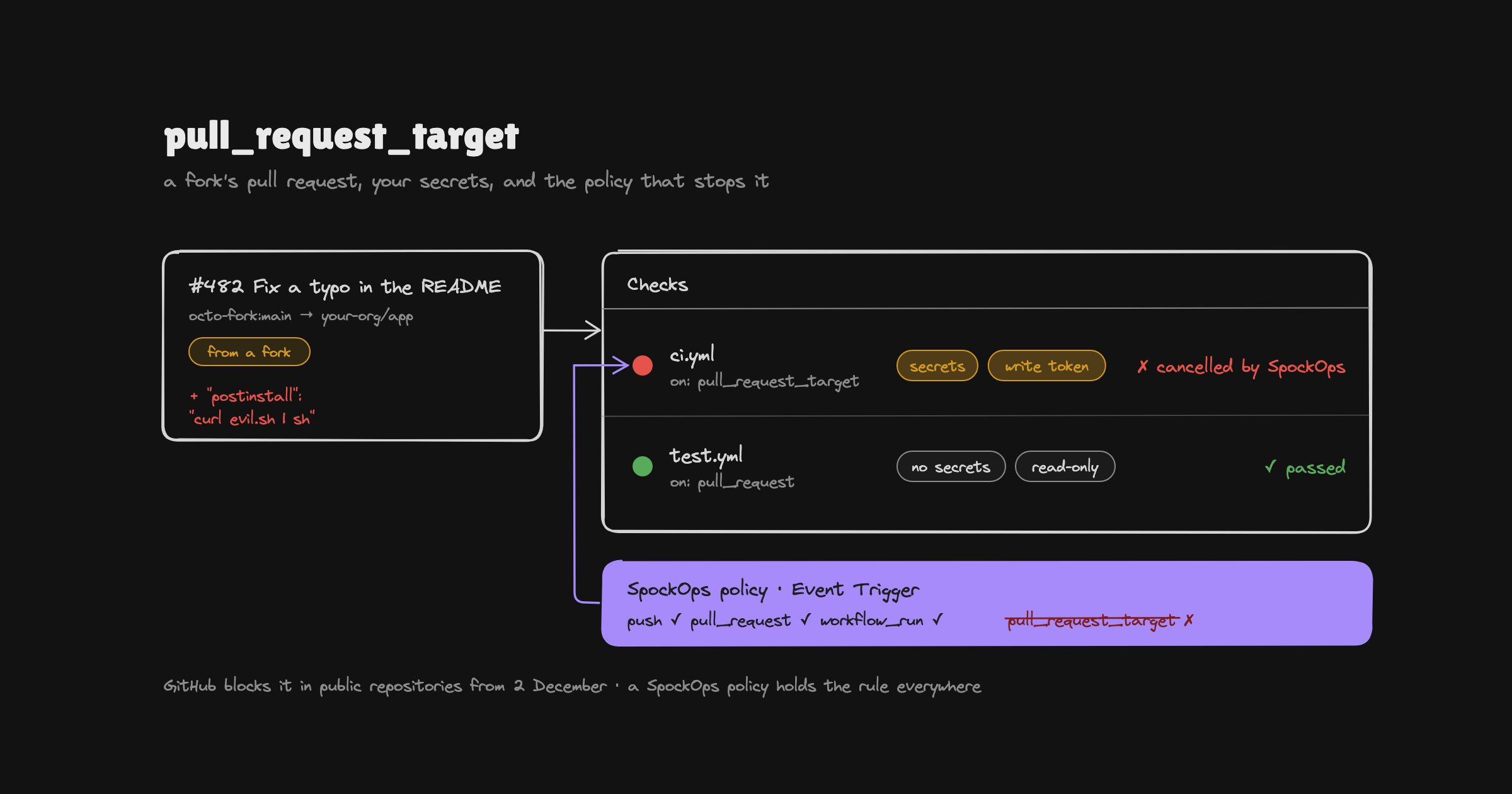
pull_request_target: why to stop using it, and what to use instead
GitHub blocks pull_request_target by default from 2 December. Why the trigger is dangerous, the simple two-workflow pattern to use instead, and how to keep it out of every repository.
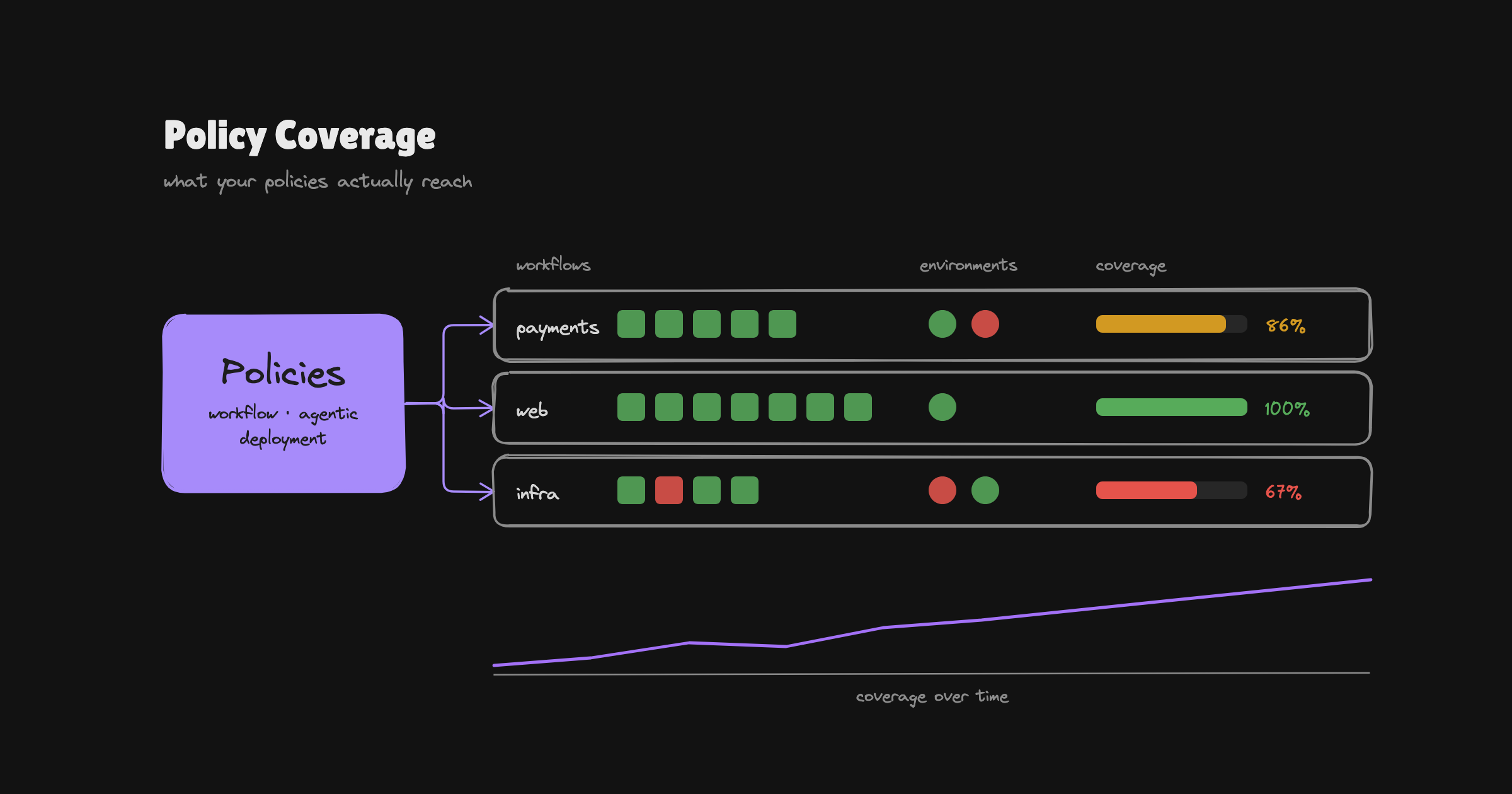
Policy coverage: what your GitHub Actions policies actually reach
Policies only govern what they match. SpockOps' coverage shows every workflow that ran and every environment, and whether a policy would check it.
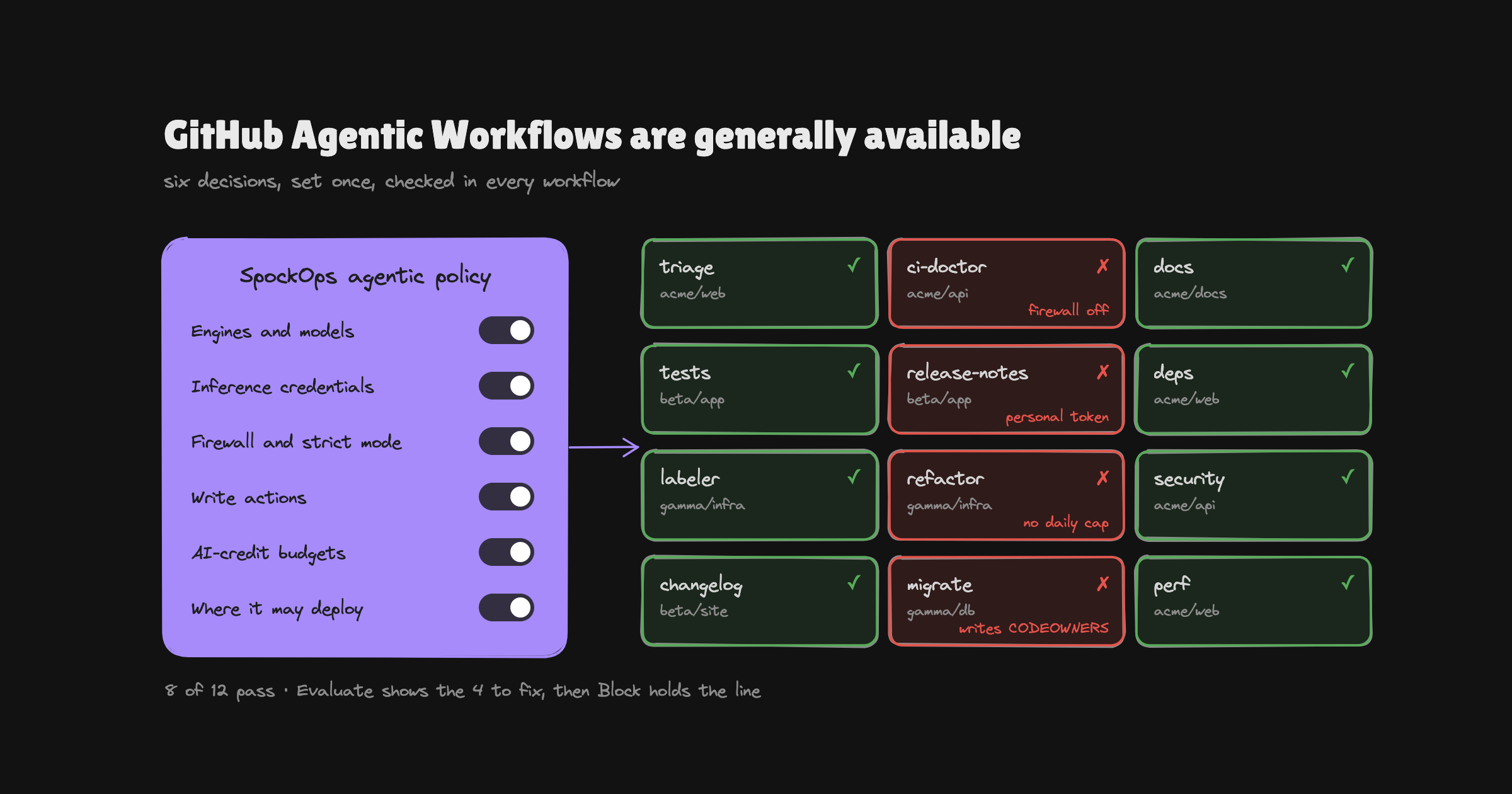
GitHub Agentic Workflows are generally available: six decisions before your teams turn them on
GitHub Agentic Workflows are generally available. The six decisions an enterprise should make first: engines, credentials, isolation, writes, spend and deployments.
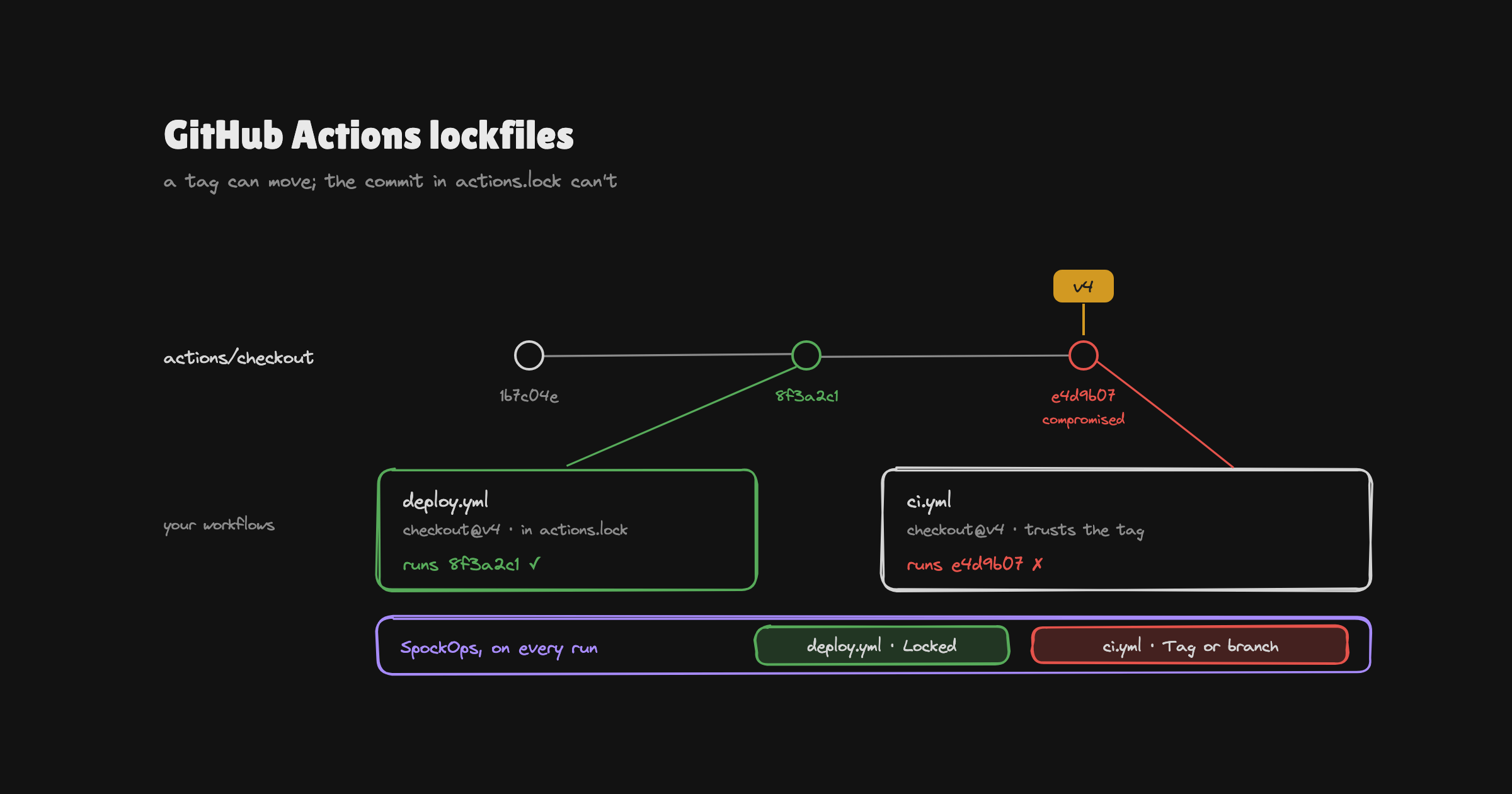
GitHub Actions lockfiles are generally available: what they fix, and what to watch across every repository
GitHub Actions workflow lockfiles pin every action, transitive dependency and reusable workflow to a commit. What they fix, what they don't, and how to start using one today.
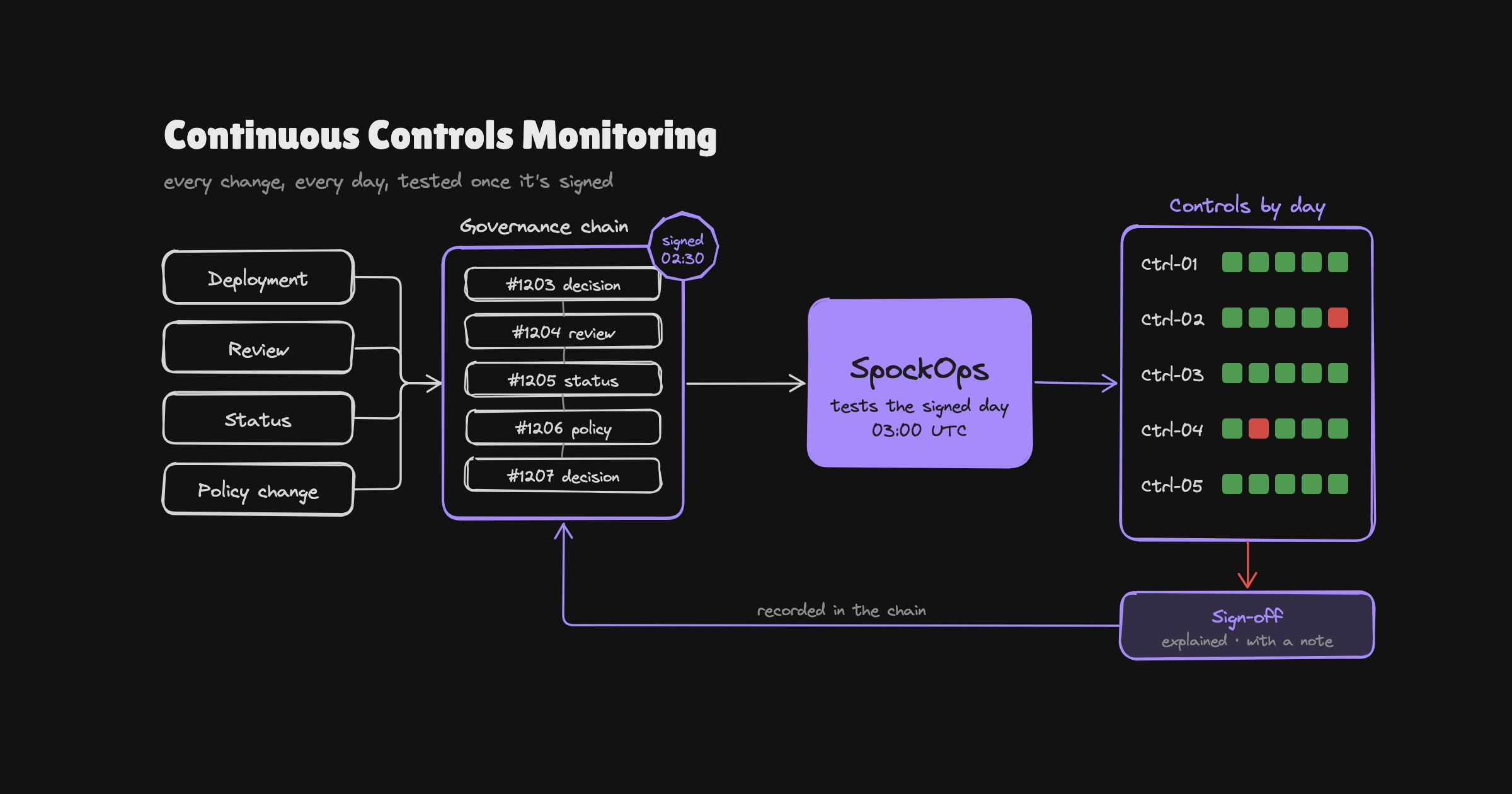
Continuous controls monitoring: testing every change, every day
Change management is usually tested once a year on a sample. SpockOps tests seven change controls every day over every production deployment, from a signed record an auditor can check.
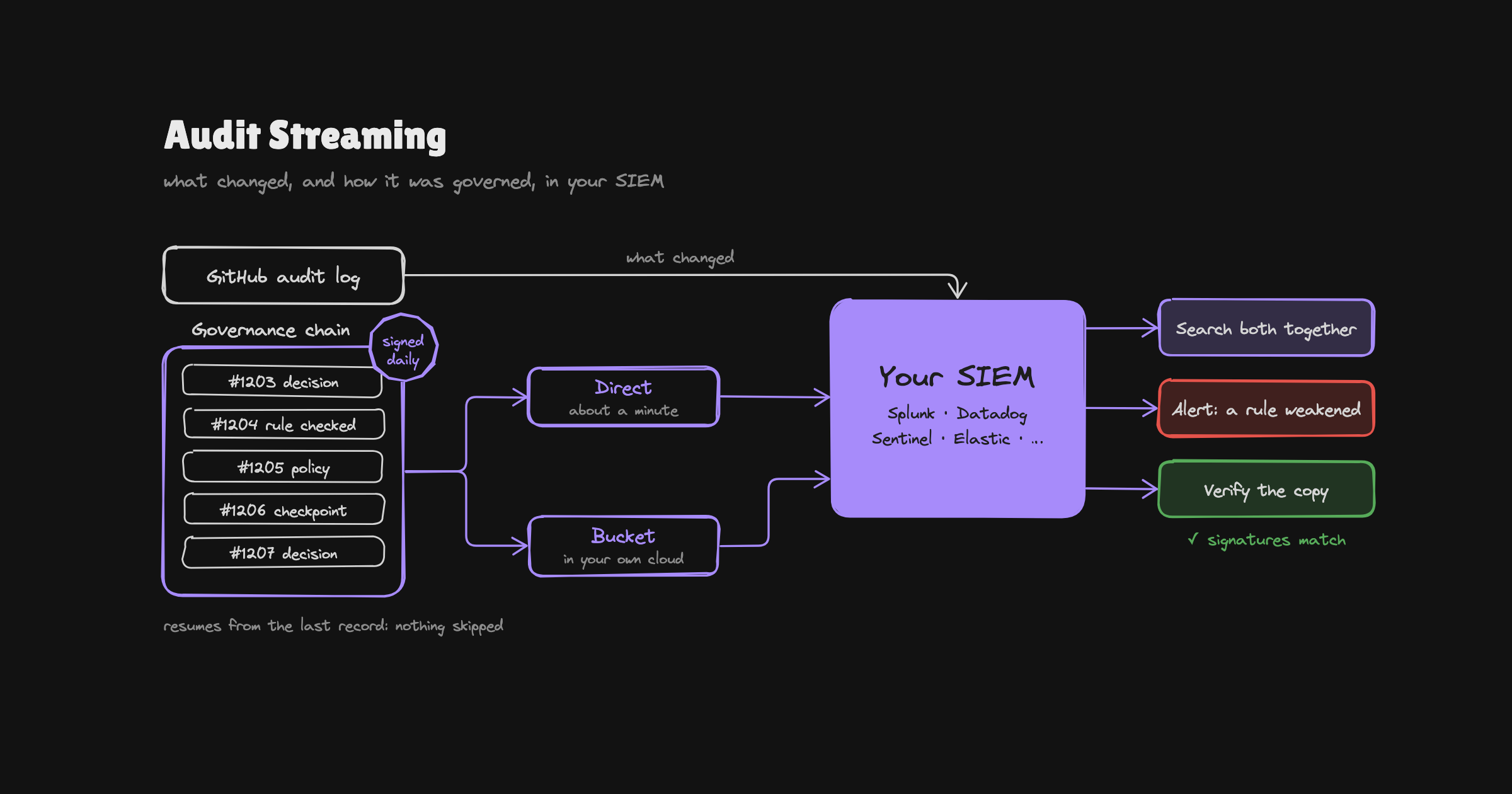
Audit streaming: what GitHub's audit log cannot tell your SIEM
GitHub's audit log shows what changed. The governance chain shows how that change was governed, and audit streaming sends it to your SIEM in the same format, with a copy you can verify.