 SpockOps
GitHub Actions workflow governance: one set of rules for runs, agents and deployments
Workflow governance for GitHub Actions: one engine for runs, agentic workflows and deployments, in Evaluate or Block, with findings that say what to fix next.
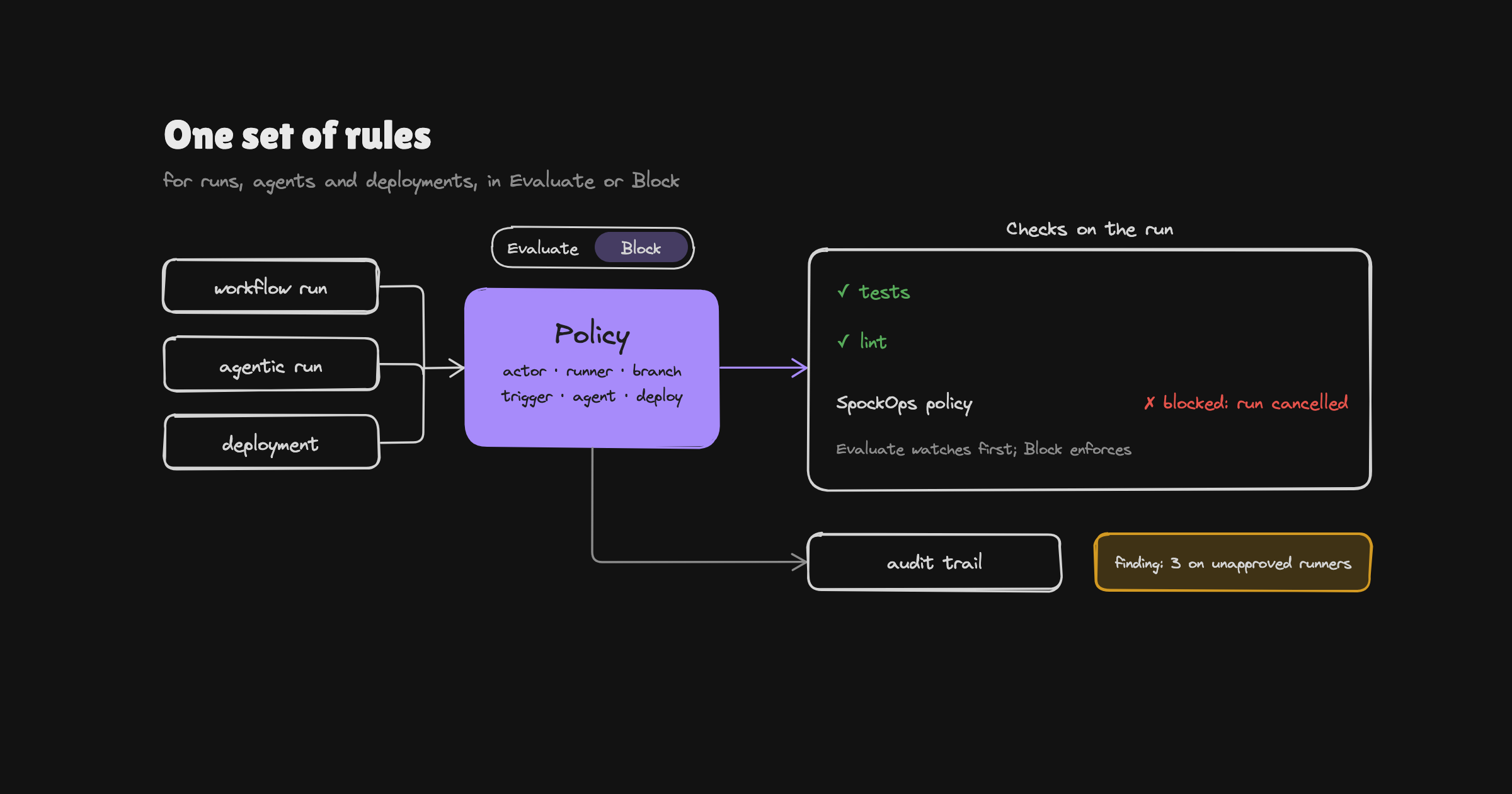

GitHub Actions workflow governance is the set of rules that decides who may run which workflow, from which branch, on which runners, and what happens when a run breaks a rule. SpockOps applies one set of such rules to every run, agentic workflow and deployment, keeps a record of every decision, and turns that record into findings with a recommended next step.
The subject has become timely. On 17 September 2026 GitHub made its own workflow controls generally available, and from 2 December it blocks a risky trigger, pull_request_target, in public repositories by default. Both are welcome changes. They also mark the point at which many teams first ask how far GitHub's controls extend, and what remains for them to decide.
How does GitHub control who runs a workflow? #
By default, anyone with write access to a repository can trigger its workflows. GitHub's workflow execution protections narrow that. They let an administrator list who may trigger a workflow and which events may start one, at the level of an enterprise, an organization or a single repository. Each level adds to the one above it.
The protections can run in a trial mode first, which shows which runs would have been blocked before any are. From 2 December 2026, public repositories also block pull_request_target by default, unless an Actions event policy explicitly allows it. The trigger can give code from a fork access to a repository's secrets. Private and internal repositories are unaffected.
For deployments, GitHub offers protected environments with required reviewers: a named person must approve before a job can deploy to production. Together, these controls give every team a sound starting point, and we recommend enabling them.
Why is that not enough as CI grows? #
Because the questions change as an organization's use of Actions grows.
In a single repository, the important question is who may press the button. A short allowlist answers it well. Over a few years, that repository becomes several organizations, a handful of personal accounts used by contractors, a fleet of self-hosted runners, bots that open pull requests on their own and, increasingly, AI agents that act on the team's behalf.
At that scale, new questions appear. Should a release workflow run from any branch, or only from main? Should a job from a fork ever reach the runner that holds production credentials? Which agents are allowed to run at all, and with what access? Has anyone looked at last month's blocked runs to see whether a rule is wrong?
GitHub's documentation covers actors, events, workflow paths and pinned dependencies. It does not describe rules on branches or runners, its trial mode is limited to GitHub Enterprise Cloud, and its rules live separately inside each enterprise, organization or repository. None of this is a flaw; it reflects a narrower purpose. It does mean that the wider questions are left to each team.
What must a team decide? #
In our experience, governing Actions at scale comes down to five decisions.
- Who may run what? Which people, bots and agents may start which workflows.
- From where, and on what? Which branches a workflow may run from, and which runners it may use.
- What may agents do? Which AI agents may run, which models they may use and what they may change.
- What may deploy? Which actors, runners and sources may reach each environment, beyond a reviewer's approval.
- What have we learned? Which rules are working, which are wrong and which protect nothing.
The first two decisions concern ordinary workflows. The third and fourth concern the newer, riskier work that CI now does. The fifth is what turns a set of rules into a practice that improves over time.
What do GitHub and StepSecurity provide, and what does SpockOps add? #
Each tool answers some of these decisions well. GitHub's protections govern who may trigger a run. StepSecurity's run policies concentrate on runtime security. SpockOps answers all five decisions with a single engine, across every organization and account you connect.
| Decision | GitHub execution protections | StepSecurity run policies | SpockOps |
|---|---|---|---|
| Who may run what? | Users, bots and teams, by event | Not among its listed policies | People, bots and agents, by workflow |
| From where, and on what? | Branch and runner rules not described in the docs | Allowlist of runner labels | Branch and runner rules |
| What may agents do? | No rules for agentic workflows | No rules for agentic workflows | Agentic policies on engine, model, credentials, isolation, writes and spend |
| What may deploy? | Required reviewers on environments | None | A protection rule on each environment, by actor, runner, kind and origin |
| What have we learned? | A list of blocked runs | Not stated | Findings with a recommended next step |
| Trial mode before enforcing | GitHub Enterprise Cloud only | Not stated on its overview page | Every plan |
| Several organizations in one view | Within one enterprise | Per organization | Each organization alone and all together |
| Changes to your workflows | None | A Harden-Runner step for its runtime policies | None |
| Runtime network and secret protection | None | Yes, through Harden-Runner | For gh-aw agents, through the agent firewall check |
The tools are not mutually exclusive. If runtime protection on every job is your first concern, StepSecurity is built for it and can run alongside SpockOps. If you need one set of rules for who runs what, what agents may do and what may deploy, across every organization you own, that is the problem SpockOps was built to solve.
Agentic workflows deserve particular mention. To our knowledge, SpockOps is the first governance engine to support GitHub Agentic Workflows. How GitHub Agentic Workflows work explains them from the start.
How does a policy apply in practice? #
A SpockOps policy is written once and evaluated the moment each run starts, in one of two modes.
Evaluate records the verdict and changes nothing. It allows a team to watch a rule for a week or two and see whom it would affect before it affects anyone. Block cancels a run that breaks the rule and fails its SpockOps check. Both modes are available on every plan.
The verdict appears where engineers already look: as a check on the run, beside the tests. Each organization or account you connect keeps its own policies, so a production organization and a sandbox account are never governed by the same rule by accident, while one workspace shows the results for all of them. Every evaluation is retained with who ran what and which rule applied, and every change to a policy, whether workflow, agentic or deployment, is recorded in SpockOps' chained audit trail with who made it, when and why.
None of this requires changes to your workflows. SpockOps is a GitHub App, so nothing runs inside your pipelines.
What do the verdicts reveal? #
Over time, the record of verdicts shows which rules are working, and SpockOps turns it into findings with a recommended next step.
- The value that keeps failing a rule. When the same bot, branch or runner fails the same policy every day, the rule usually needs adjusting.
- The policy that matches nothing. A rule that has never been evaluated protects nothing. The cause is usually a mistyped pattern or a renamed workflow.
- The silent agent. An agentic workflow that once ran regularly and has stopped.
- The agent on a personal token. Agentic workflows no longer need a personal access token, so one that still uses a personal token is a long-lived credential worth retiring.
- Actions still on tags. A tag can be moved by whoever maintains the action; a commit SHA cannot. Pin all opens one pull request that pins every action to its commit.
A typical rollout shows how this works. A team adds a rule in Evaluate mode that allows its deploy workflow to run only on production runners. After a week, the findings show one bot failing the rule on every run because it still uses an older runner label. The team corrects the label, confirms the findings are clear and switches the rule to Block. No build was cancelled along the way.
Where to begin #
Begin with GitHub's own protections, then add one SpockOps policy in Evaluate mode.
- Enable GitHub's workflow execution protections for actor and event rules.
- Sign in to SpockOps with GitHub, name your workspace and install the App on each organization or account you want governed.
- Write a first workflow policy in Evaluate mode. Branch and runner rules for your deploy workflow are a sensible place to start.
- Review the verdicts and findings after a week, correct what they show, then switch to Block.
SpockOps installs in about five minutes and requires no changes to your workflows.
Further reading: What does an agentic workflow cost?
Questions
What is GitHub Actions workflow governance?
It is the set of rules that decides who may run which workflow, from which branch, on which runners, and what happens when a run breaks a rule. Good governance also keeps a record of each decision, so you can audit it later.
Does SpockOps replace GitHub's workflow execution protections?
No. Keep GitHub's protections on for actor and event rules. SpockOps adds branch and runner rules, agentic and deployment policies, a view across several organizations, and findings drawn from the verdicts.
Will SpockOps break my builds?
Only a policy in Block mode stops a run. Start every policy in Evaluate, which records verdicts and changes nothing. Switch to Block once the findings are clean.
Does SpockOps support GitHub Agentic Workflows?
Yes. To our knowledge, SpockOps is the first governance engine for gh-aw. Agentic policies check the engine, model, compiler, inference credentials, strict mode, agent firewall, threat detection, write actions and AI-credit budgets.
Do I need to change my workflow files?
No. SpockOps is a GitHub App, so nothing runs inside your pipelines.
What changes for `pull_request_target` on 2 December 2026?
GitHub will block `pull_request_target` by default in public repositories, unless an Actions event policy explicitly allows it. The change was first planned for 2 November. Private and internal repositories are not affected.
Related posts
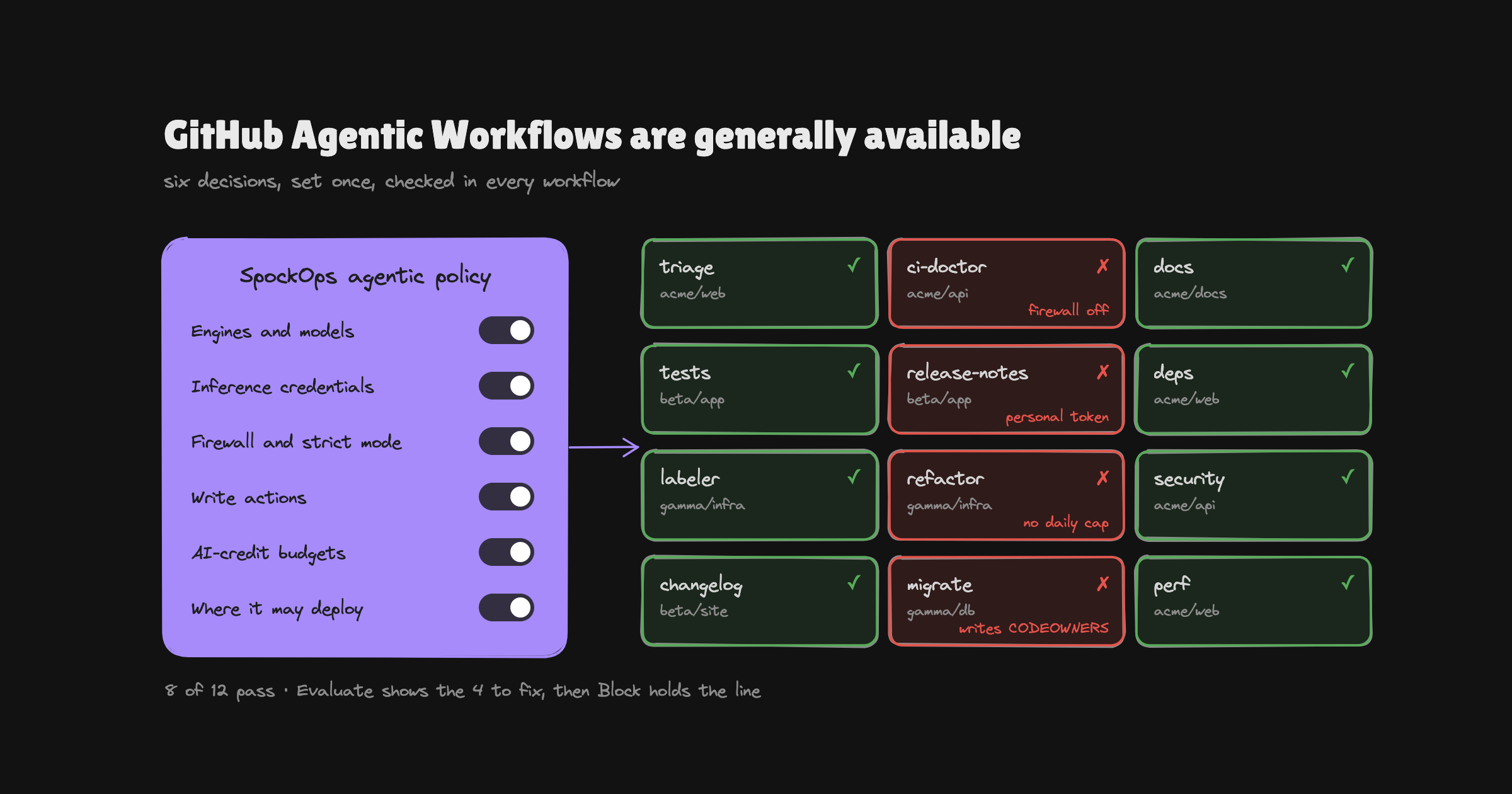
GitHub Agentic Workflows are generally available: six decisions before your teams turn them on
GitHub Agentic Workflows are generally available. The six decisions an enterprise should make first: engines, credentials, isolation, writes, spend and deployments.
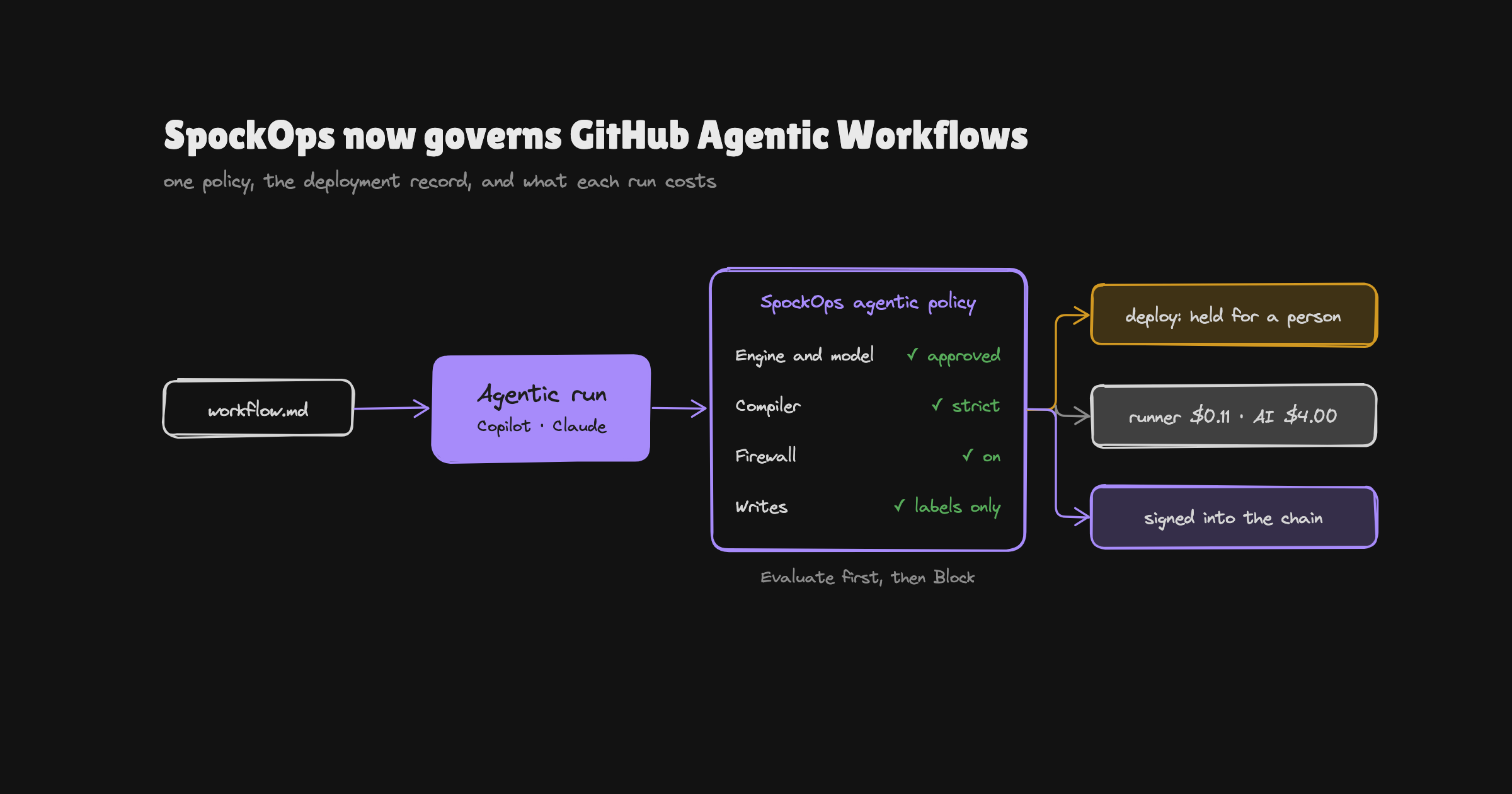
SpockOps now governs GitHub Agentic Workflows
SpockOps now governs GitHub Agentic Workflows. Approve engines, models and credentials, record every agent deployment and see what each run costs.
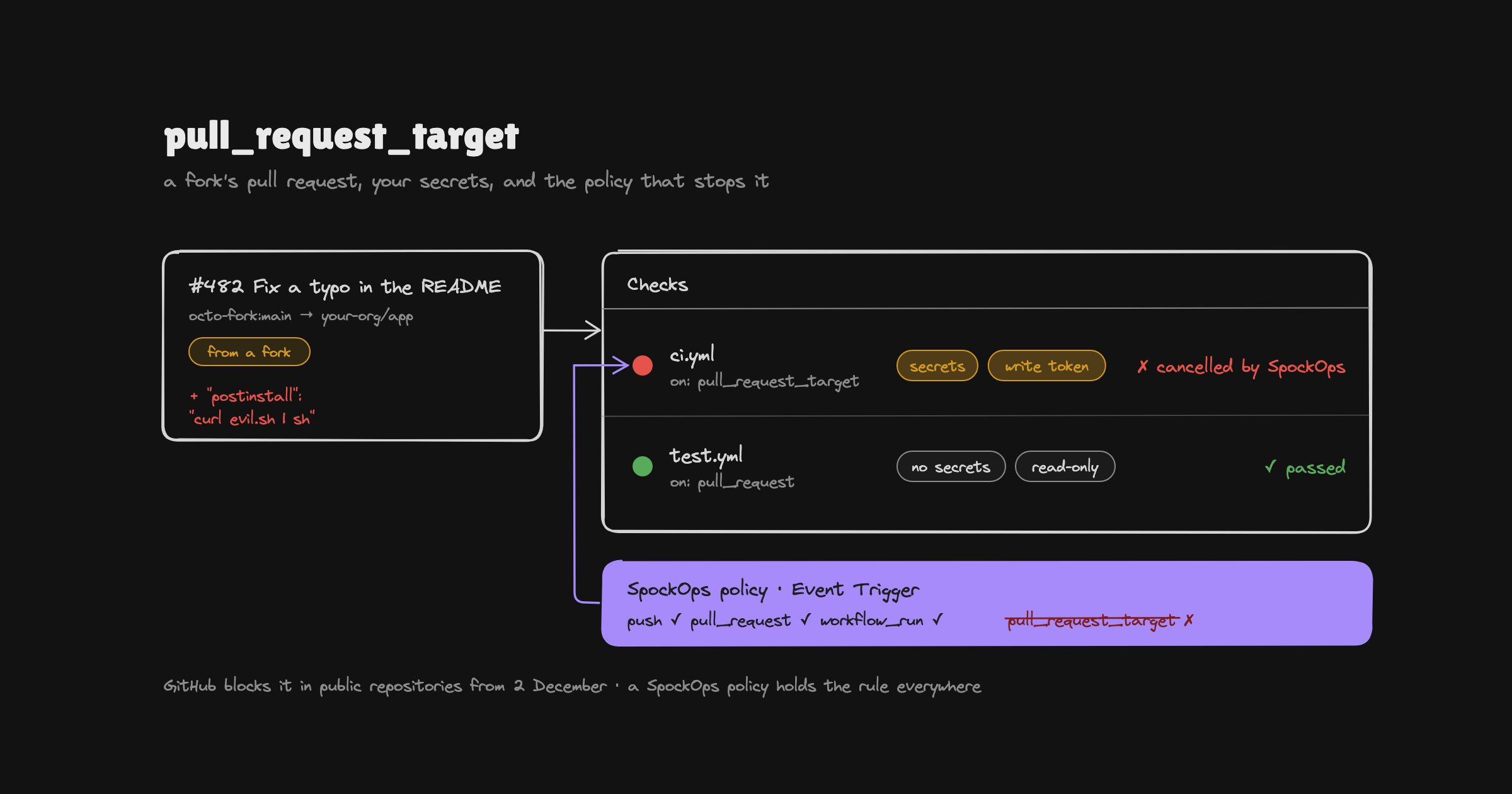
pull_request_target: why to stop using it, and what to use instead
GitHub blocks pull_request_target by default from 2 December. Why the trigger is dangerous, the simple two-workflow pattern to use instead, and how to keep it out of every repository.
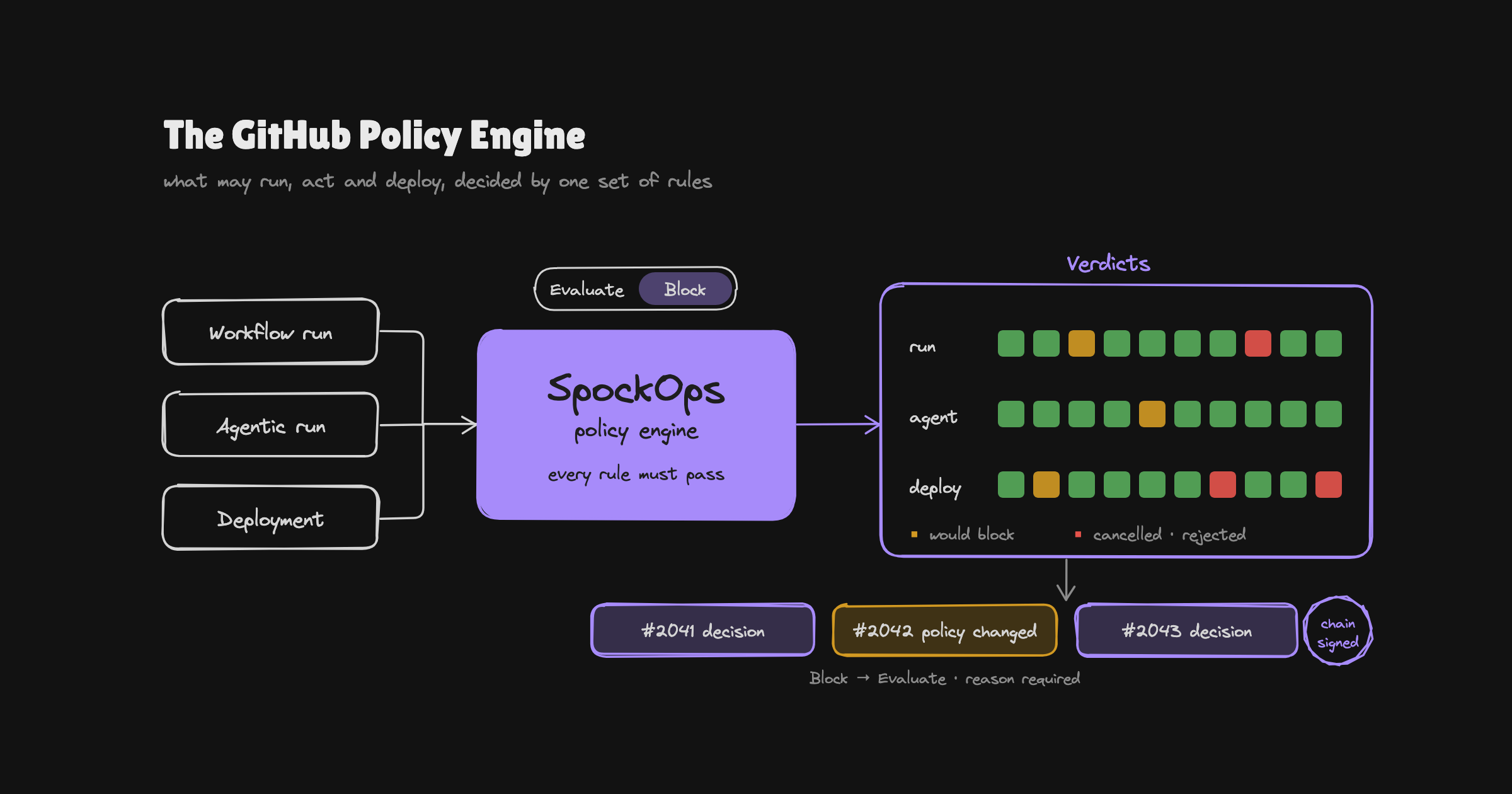
The GitHub policy engine: how SpockOps decides what may run, act and deploy
A policy engine for GitHub Actions: one set of rules for workflow runs, agentic workflows and deployments, tried in Evaluate, enforced in Block and recorded.
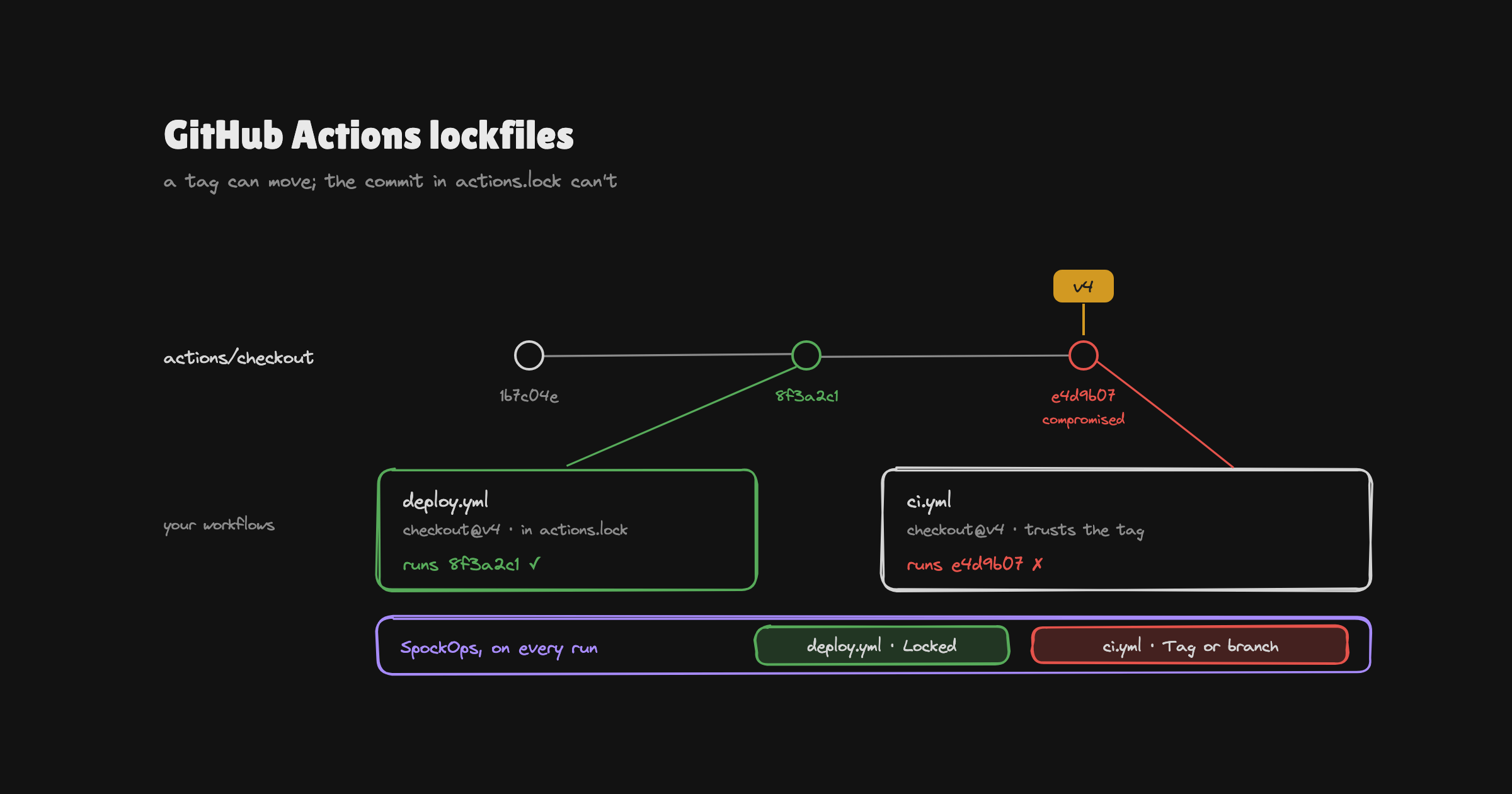
GitHub Actions lockfiles are generally available: what they fix, and what to watch across every repository
GitHub Actions workflow lockfiles pin every action, transitive dependency and reusable workflow to a commit. What they fix, what they don't, and how to start using one today.
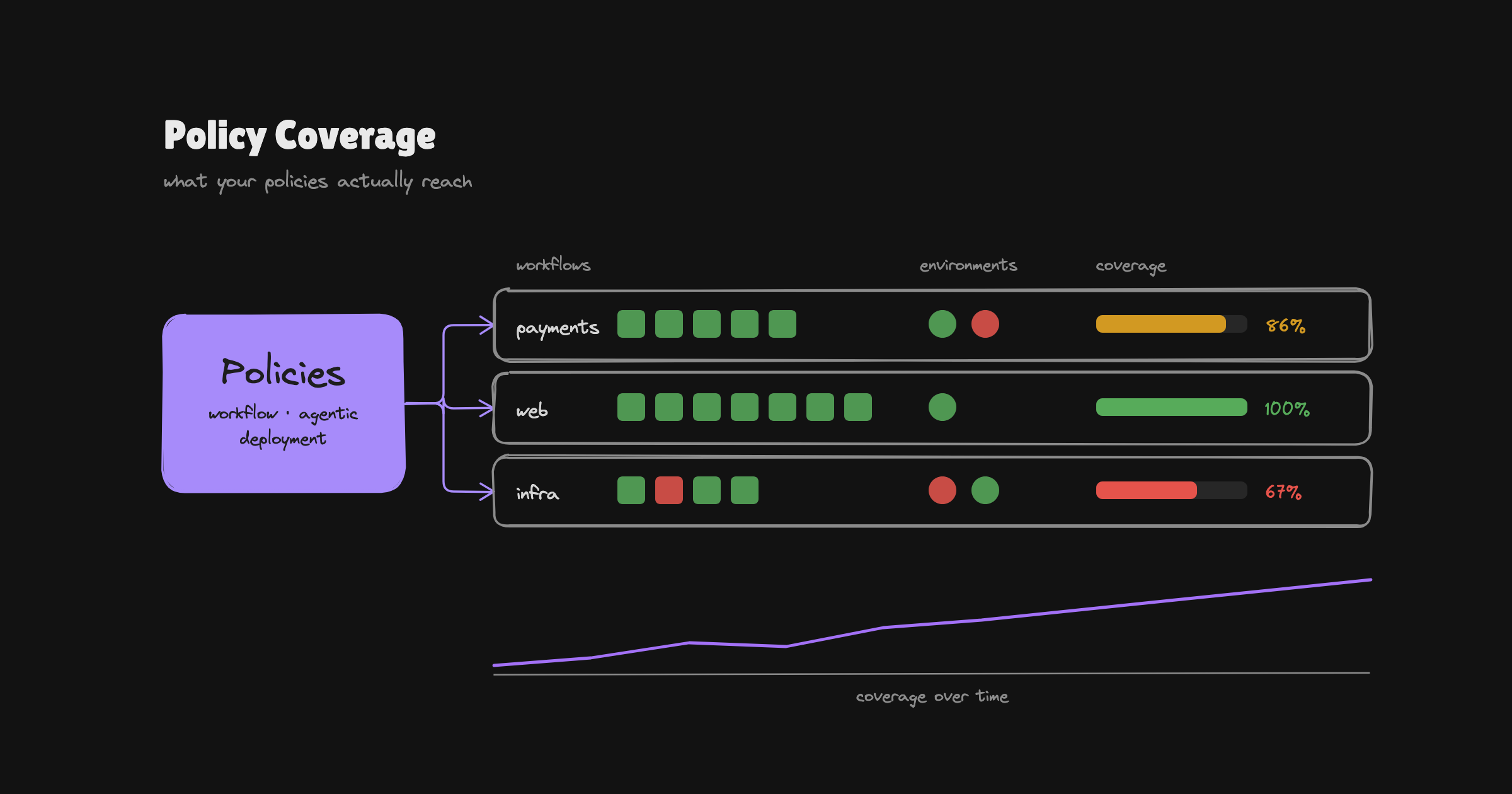
Policy coverage: what your GitHub Actions policies actually reach
Policies only govern what they match. SpockOps' coverage shows every workflow that ran and every environment, and whether a policy would check it.